
Drag a page together
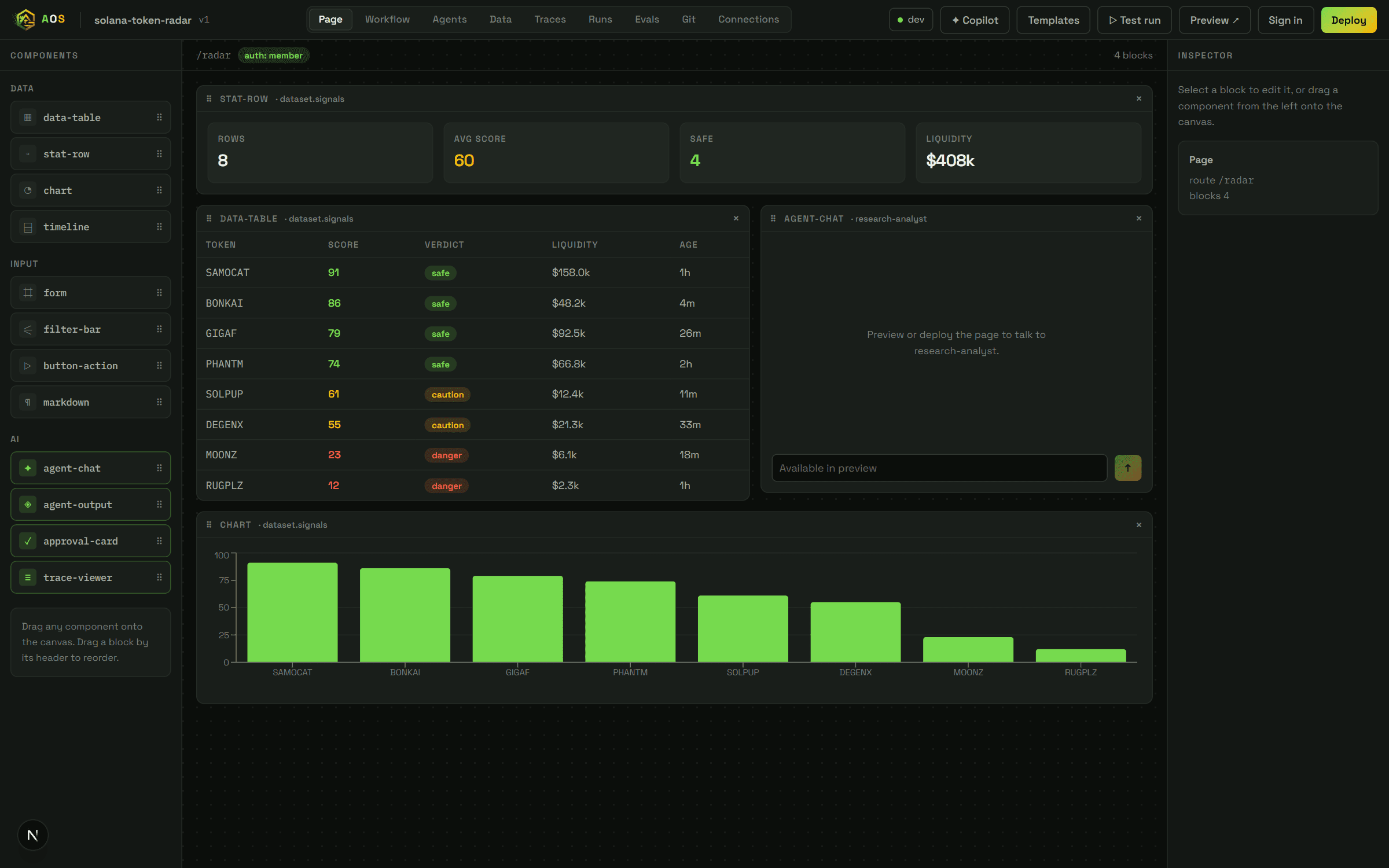
Blocks snap into a real grid — tables, charts, forms, agent chat. What you arrange is what ships, with no separate export step.
Build the interface, the agents, the data and the permissions in one workspace — then run it for real against live APIs.
Sign in to build and run. Your API keys stay in your browser.
Your Anthropic key and every connector credential belong to you. They are stored in your own browser and sent straight to the provider on each call. Nothing is written to our database, because there is nothing of yours in it to write.
The practical consequence: you pay your provider directly, at cost, and you can revoke access to this tool at any time without asking us to do anything.
The page, the agents, the workflow and the data are the same document — so what you arrange is what runs.
Drag-and-drop is the easy half. These are the parts that decide whether what you built still works next week.
Blocks snap into a real grid — tables, charts, forms, agent chat. What you arrange is what ships, with no separate export step.
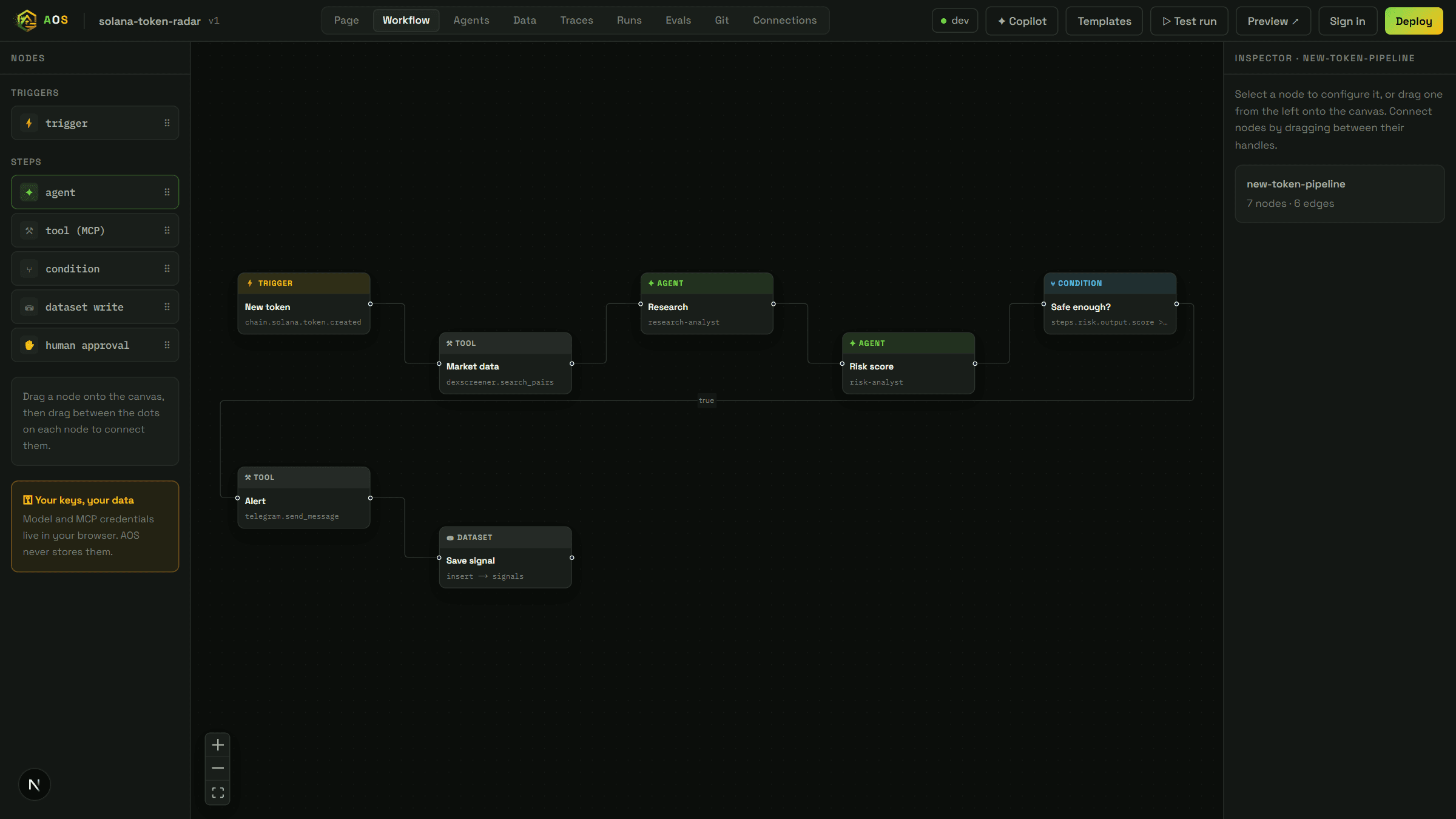
Triggers, agents, tools, conditions and human approval on one canvas. Steps run in dependency order and stop where they break.
Every step is checkpointed before the next begins. Restart mid-run and it resumes from the last good step instead of starting over.
A run waiting on a person is parked on disk, not pinned to a server. Approve it a minute later or a week later — it continues either way.
Save any finished run as a test case, then replay the suite after changing a prompt or a model. Passing yesterday and failing today is reported as exactly that.
Load the docs that matter and agents retrieve the passages that bear on the question, citing which one they used.
The same declarative spec underneath every step, so nothing you build is trapped in the canvas.
Say what the product should do. The Copilot proposes a whole workspace — pages, agents, workflow, data — and validates it before anything is replaced.
Drag the page into shape and wire the workflow. Every change is the same declarative spec underneath, so nothing is trapped in the canvas.
Execute against live APIs with your own keys. Watch each step's latency, tokens and real cost as it happens.
Publish to a URL, public or private. Put it on a schedule and it runs unattended.

Start from a template that already runs against live public APIs, or describe what you want and let the Copilot draft it.
Open the Studio